Why we built LumoAuth: identity for people and AI agents
Identity platforms model two principals, users and OAuth clients. AI agents are neither. Here is the gap we kept hitting, what the incumbents have added, and what we…
LumoAuth is the login and access-control service for your product. People sign in with a passkey, a magic link or their company account. AI agents get their own identity, a fixed list of what they may do, and a human who can say no. One platform, open standards, hosted or on your own servers.
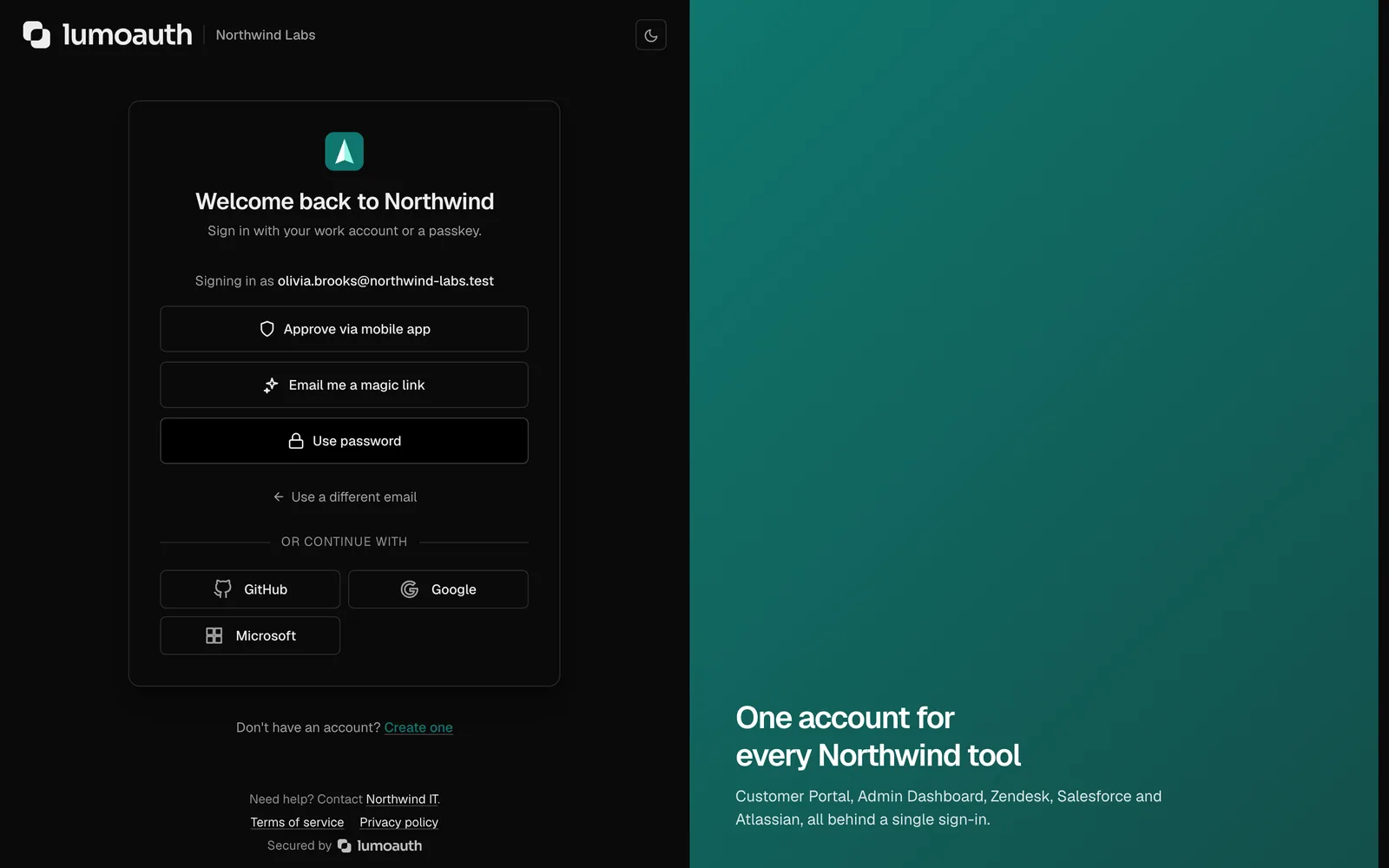
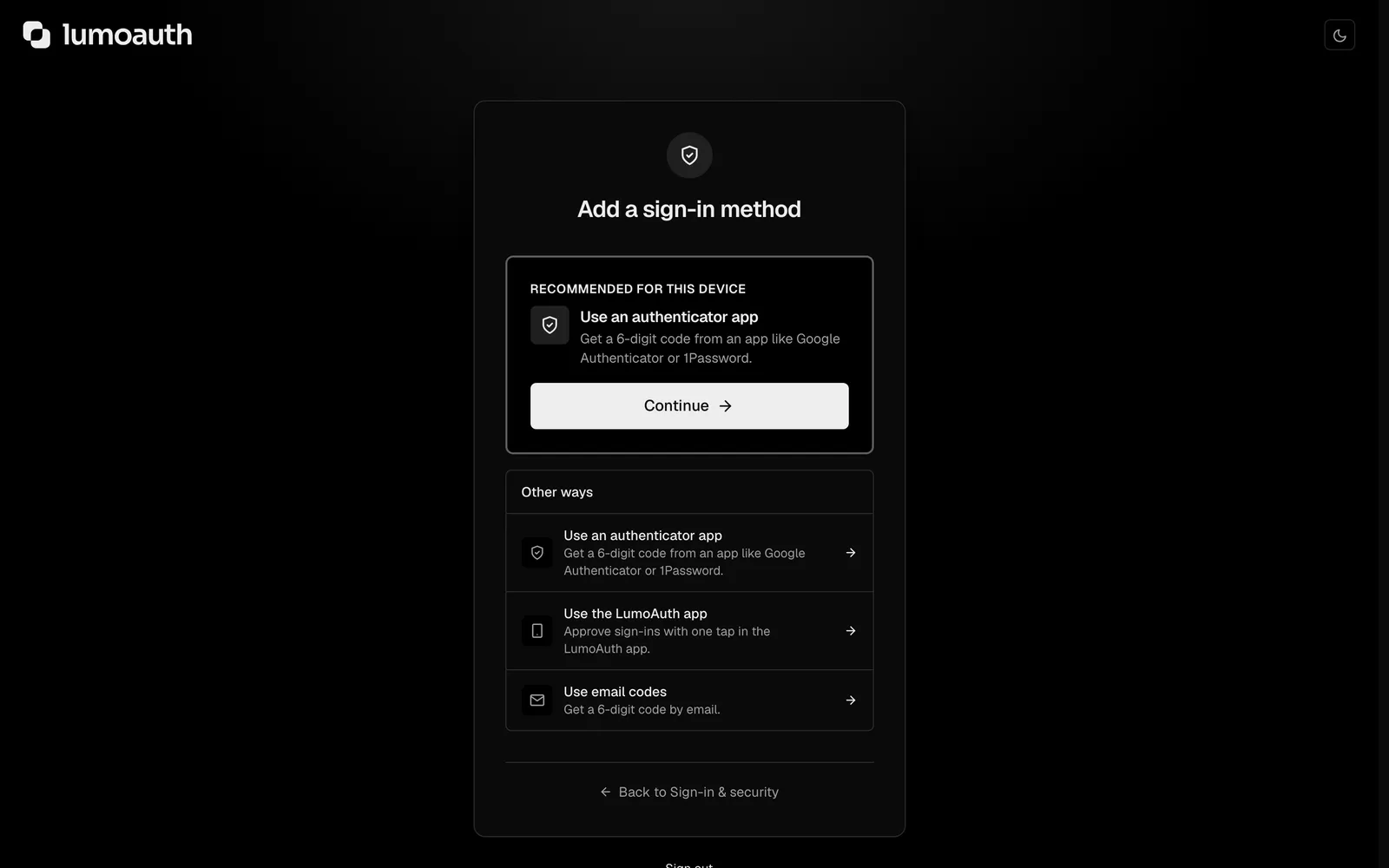
A hosted sign-in page with every passwordless method, switched on from the portal. Users pick what suits them; your application code does not change.
Face ID, Touch ID, Windows Hello or a security key. A passkey only works on the real site, so phishing pages get nothing.
A request appears on the user's phone. They approve with a fingerprint. The approval is signed by a key that never leaves the device.
Google, Microsoft, Apple, GitHub and more, or the customer's own Okta or Entra through single sign-on.
A second factor is asked for when something looks off: a new device, a new country, impossible travel. Not on every login.
The page carries your logo and colours on auth.yourcompany.com. Paste your website URL and the AI drafts a matching theme.
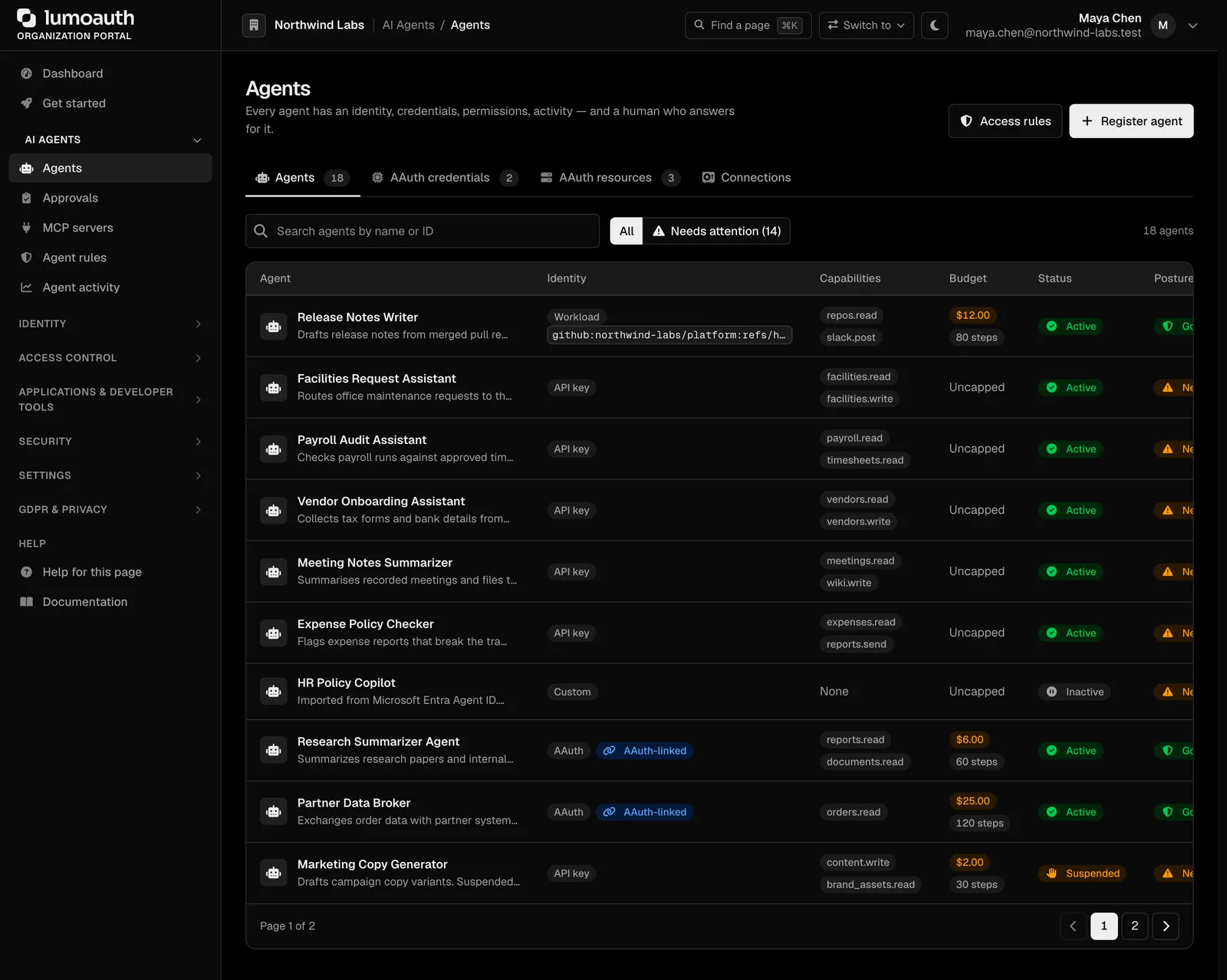
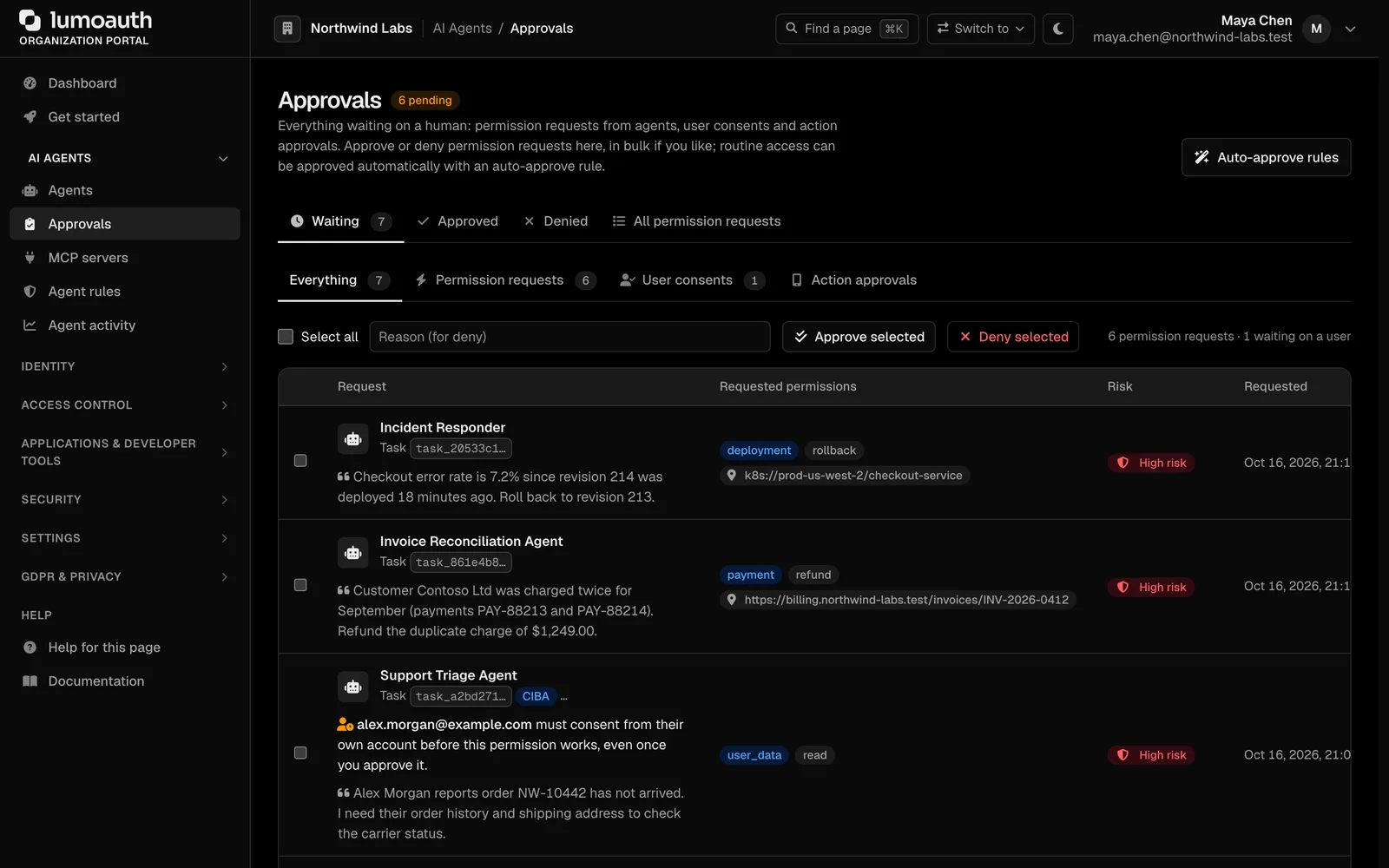
An AI agent that acts on its own needs what an employee has: a name, credentials, a job description and a manager. LumoAuth gives every agent an identity, limits what it can do, and puts a person in the loop for anything sensitive.
The LumoAuth app signs approvals with a key bound to the phone. Slack, Teams, ServiceNow and Jira work too.
Every agent is registered with a name, an owner, its own credentials and a fixed list of what it may do. No more shared API keys.
For anything outside its list, the agent sends a request with a reason. A person approves from the portal, the phone, Slack, Teams, ServiceNow or Jira.
What comes back works for that task only and expires within minutes. Budgets cap steps, time and spend, enforced by the server.
Register your MCP servers. Agents discover them the standard way and get a token per tool, which you can revoke.
Every token, call, request and decision lands on the agent's timeline, with a trace ID that opens in Langfuse, LangSmith or your collector.
Suspend an agent and its tokens stop working at once. Connected MCP servers are told through a security event.
Sign-in, access control, enterprise connections, agent security and compliance come from one product with one audit log. Here is the map; the features page has the full list.
Passkeys, magic links, push approval, social and company accounts, adaptive step-up.
A registry, signed requests, workload identity, just-in-time permissions, budgets, a kill switch.
Discovery, one token per tool, clients identified by a URL, revocation that reaches the server.
Roles, attribute rules and relationships behind one check endpoint. Policies written in plain English.
Customer SSO, SAML identity provider, directory and HR sync, organizations, a portal for customer admins.
OAuth 2.1 and OpenID Connect with PAR, DPoP, FAPI 2.0, CIBA, device flow and token exchange.
Lockout, breached-password checks, CAPTCHA, risk scoring, threat detection, alerts.
Consent, data-subject requests, processing records, breach clock, audit log, SIEM streaming.
SDKs for six languages, Admin API, CLI, sandboxes, webhooks, Terraform, Kubernetes.
Each one is a guide with screenshots, a step-by-step setup, the standards involved and the plan it needs.
Let people sign in with a fingerprint, a face, a link in their inbox or a tap on their phone. No password to forget, leak or phish.
Users sign in with Face ID, Touch ID, Windows Hello or a security key. The browser proves the user is on the real site, so phishing pages get nothing. Users can register several passkeys and manage them in their account.
Send a single-use link that expires in 15 minutes, or a six-digit code by email or text message. Codes expire after five minutes and allow five attempts.
A sign-in request appears on the user's phone with the location and device. They approve it with their fingerprint. The approval is signed with a key that never leaves the phone.
The page asks for the email address first, then shows only the methods that user has. Someone with a passkey never sees a password box.
Stop sharing API keys with your AI agents. Give each one its own identity, a fixed list of what it may do, a budget and a kill switch.
Give it a name, an owner, a description and a credential type: an API key, a client secret, a signing key (AAuth) or a cloud workload identity with no stored secret at all.
Capabilities such as tickets.read or invoices.export are granted at registration and cannot be widened by the agent. Whoever registers an agent can only hand out capabilities they hold themselves.
With AAuth, the agent signs each HTTP request with its private key. The server checks the signature, a digest of the body and the time, so a token copied from a log cannot be replayed.
Cap the number of steps, the wall-clock time and the money an agent may spend on a task. The limits are enforced by the server, so a prompt cannot raise them.
Put a real authorization server in front of your Model Context Protocol tools. Agents get a token per tool, and you can revoke it.
Name the MCP server, give it a resource identifier, list its tools as scopes, and choose which agents and users may connect.
LumoAuth publishes the protected-resource metadata and the authorization-server metadata the MCP specification requires. An agent reads one well-known address and knows where to go.
A token can allow tool:search and nothing else. Scopes map to tools, so a compromised agent cannot reach what it was never granted. Tokens are pinned to the server's resource identifier.
An MCP client can use an HTTPS URL as its client ID. LumoAuth fetches the metadata document at that URL, validates it and shows the client's real name on the consent screen. It is on by default, admins can switch it off, and a check tool explains any rejection. Clients that prefer the API still have dynamic registration.
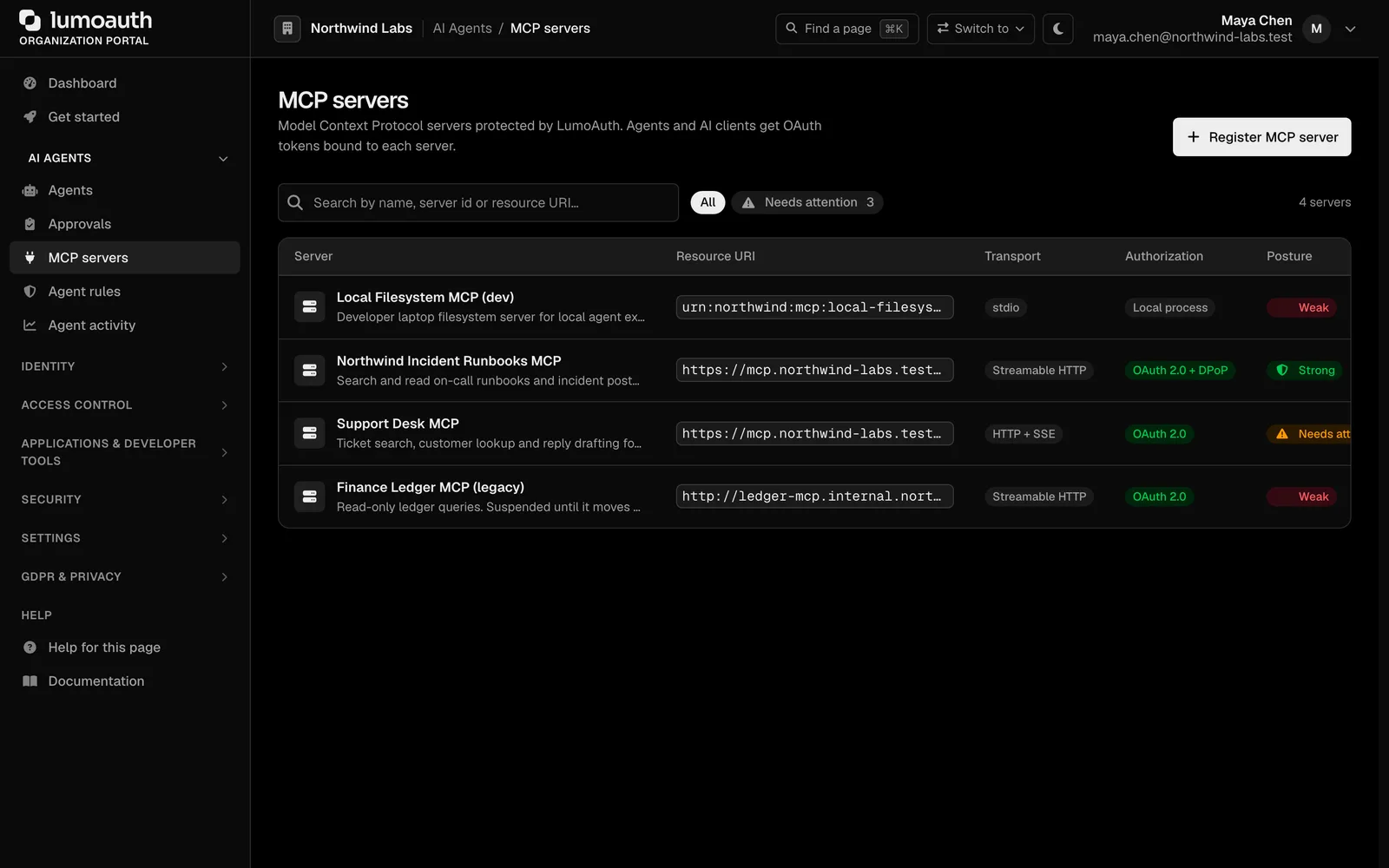
Give every customer their own organization with members, roles, invitations, branding and sign-in rules. Let their admins run it themselves.
Create organizations in the portal or from the API. Each has members, organization-level roles, pending invitations and its own settings.
Invite by email with a role attached. Invitations expire, can be resent and show up in the audit log.
Your customer's admin signs in at /b2b and manages their own members, roles and invitations. You stop being the help desk for their team.
One customer signs in with Okta, another with Google Workspace, a third with passkeys. Each organization can have its own identity provider and required factors.
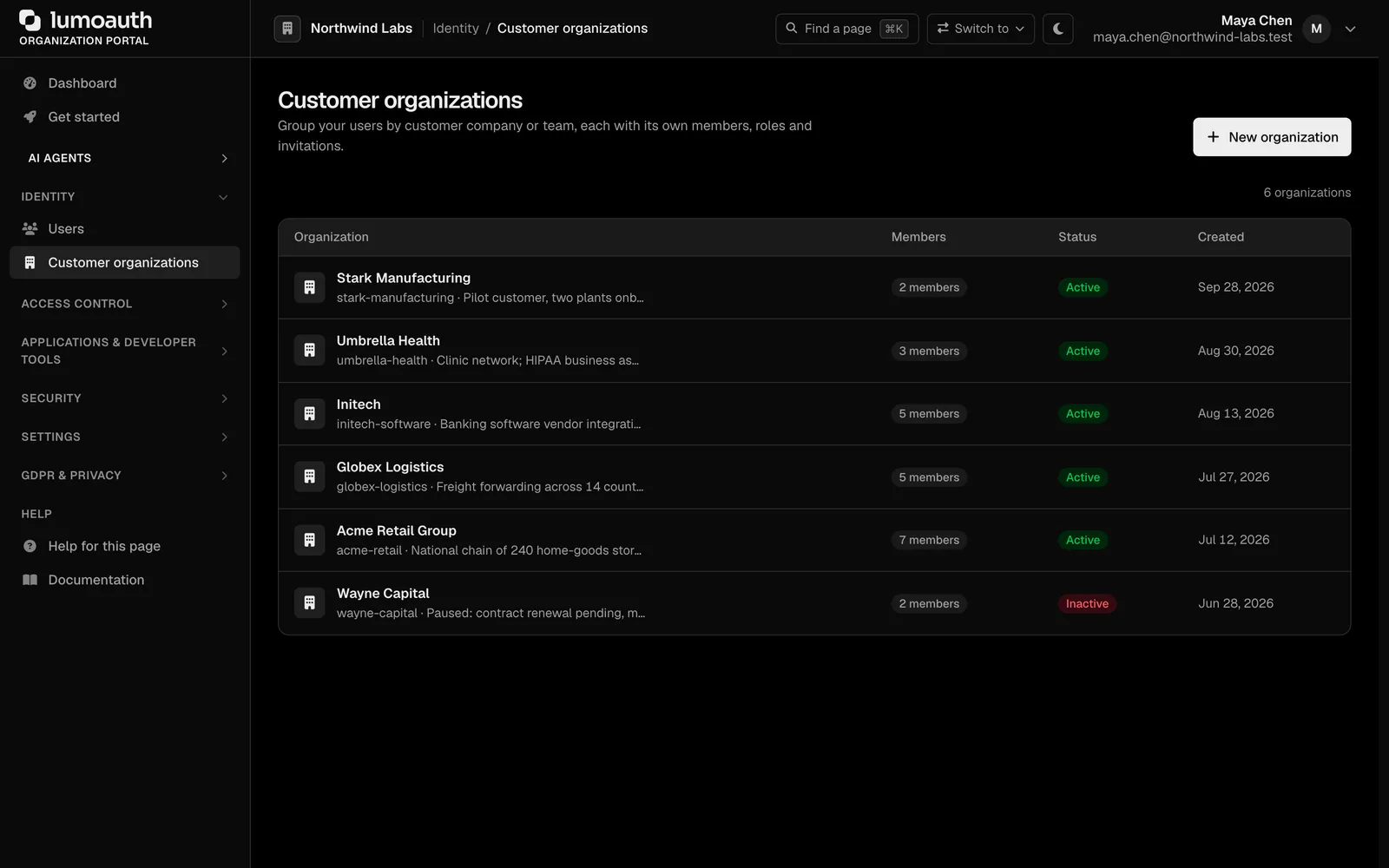
Let customers sign in with their own Okta, Microsoft Entra or Google Workspace, and sign your users into SAML-only apps with LumoAuth as the identity provider.
Add a connection per customer. Presets for Okta, Microsoft Entra ID, Google Workspace and others fill in the right values; paste metadata or a discovery URL for the rest.
Map the groups and attributes the provider sends to your roles and groups. New users are created on first sign-in with the right access.
Register Salesforce, Box, Slack or any SAML service provider and sign your users into it with LumoAuth.
Authenticate against an on-premises directory over TLS as a primary or fallback source.
Change the issuer URL and client credentials. Import users with their password hashes and second factors. Your application code stays the same.
The discovery document, token shape and redirect patterns are standard. Your OpenID Connect library does not care who issued the token.
lumo migrate imports an Auth0 export with its bcrypt, argon2 and scrypt hashes, TOTP secrets and passkeys. Step-by-step guides cover Okta, Cognito, Firebase and Clerk.
Auth0 rules and actions usually become webhooks, progressive profiling rules or attribute policies. The guide maps the common ones.
Run both issuers side by side, move applications one at a time, and keep the old provider as a fallback until you are done.
183 identity providers, HR systems, SIEMs, key stores, cloud platforms and agent frameworks. Every one is configured in the portal, with secrets encrypted at rest.
$ npm install @lumoauth/nextjs

// app/api/auth/[...lumo]/route.ts
import { handlers } from '@lumoauth/nextjs/server';
export const { GET, POST } = handlers();

// app/page.tsx
import { SignIn, UserButton } from '@lumoauth/nextjs';

// .env
LUMOAUTH_URL=https://app.lumoauth.dev
LUMOAUTH_ORG_ID=northwind-labs
LUMOAUTH_CLIENT_ID=…

# Passkeys, magic links and SSO are portal settings.
$ pip install 'lumoauth[aauth]'
from lumoauth import LumoAgent
agent = LumoAgent.from_env() # AGENT_CLIENT_ID, AGENT_CLIENT_SECRET
# Ask before acting. Outside the agent's list? A human decides.
decision = agent.request_permission(
permissions=["invoices.export"],
reason="Nightly reconciliation found 14 unmatched payments",
)
if decision.approved:
resp = agent.signed_request("POST", "https://api.acme.com/exports", json=…)
# request is signed (RFC 9421); token is scoped to this task$ curl -X POST https://app.lumoauth.dev/api/v1/authz/check \
-H "Authorization: Bearer $TOKEN" \
-d '{"subject":{"type":"user","id":"u_42"},
"action":{"name":"edit"},
"resource":{"type":"document","id":"doc_q4"}}'
{
"decision": true,
"context": { "reason": "editor of folder:q4 via relation" }
}
# roles, attribute rules and relationships, one endpoint (AuthZEN)Install a package, set three environment variables, and sign-in works. Agents, MCP servers and access checks are a few lines more.
JavaScript and TypeScript, Python, Go, PHP, Java and .NET, with packages for Next.js, React, Express, FastAPI, Spring Boot, ASP.NET Core, Symfony and Laravel. Docs
Every organization publishes a standard discovery document. If your framework already has an OIDC plugin, you are done. Docs
Mint a signed token for any user or agent from the portal, decode any token, and try calls in the API explorer. Docs
lumo dev start gives you a throwaway organization; lumo tunnel brings webhooks to your laptop. Docs
Everything the portal does is an endpoint. Keep configuration in code. Docs
Plain names in the guides, a standards reference for the RFCs, and tracks for frontend, backend, agents, B2B, admin and compliance. Docs
Passkeys, MFA, attack protection and agent identity are on every plan, including the free one. When you grow past a limit, the price per extra unit is printed here, not negotiated later.
Build and evaluate — the whole platform, sized for development.
Ship to production — custom domain, branding, full webhooks.
Scale with enterprise SSO, governance, FAPI and an SLA — grow with prepaid volume packs.
Add-ons such as Agent Governance, Fraud Shield and Fine-grained authorization are priced per month on the pricing page. Full pricing
Identity platforms model two principals, users and OAuth clients. AI agents are neither. Here is the gap we kept hitting, what the incumbents have added, and what we…
The Developer plan is free for 10,000 monthly users and ten agents, with no card. Everything speaks open standards, so moving in or out is a config change.