MCP server authorization
The Model Context Protocol tells an agent how to find a tool server and how to ask for a token. It does not decide who gets one. LumoAuth is the authorization server behind your MCP servers: it publishes the discovery document, issues short-lived tokens limited to specific tools, and lets you cut an agent off the moment you need to.
- Teams exposing internal tools to agents over MCP
- Companies running a public MCP server for customers
- Security teams asked to approve an MCP rollout
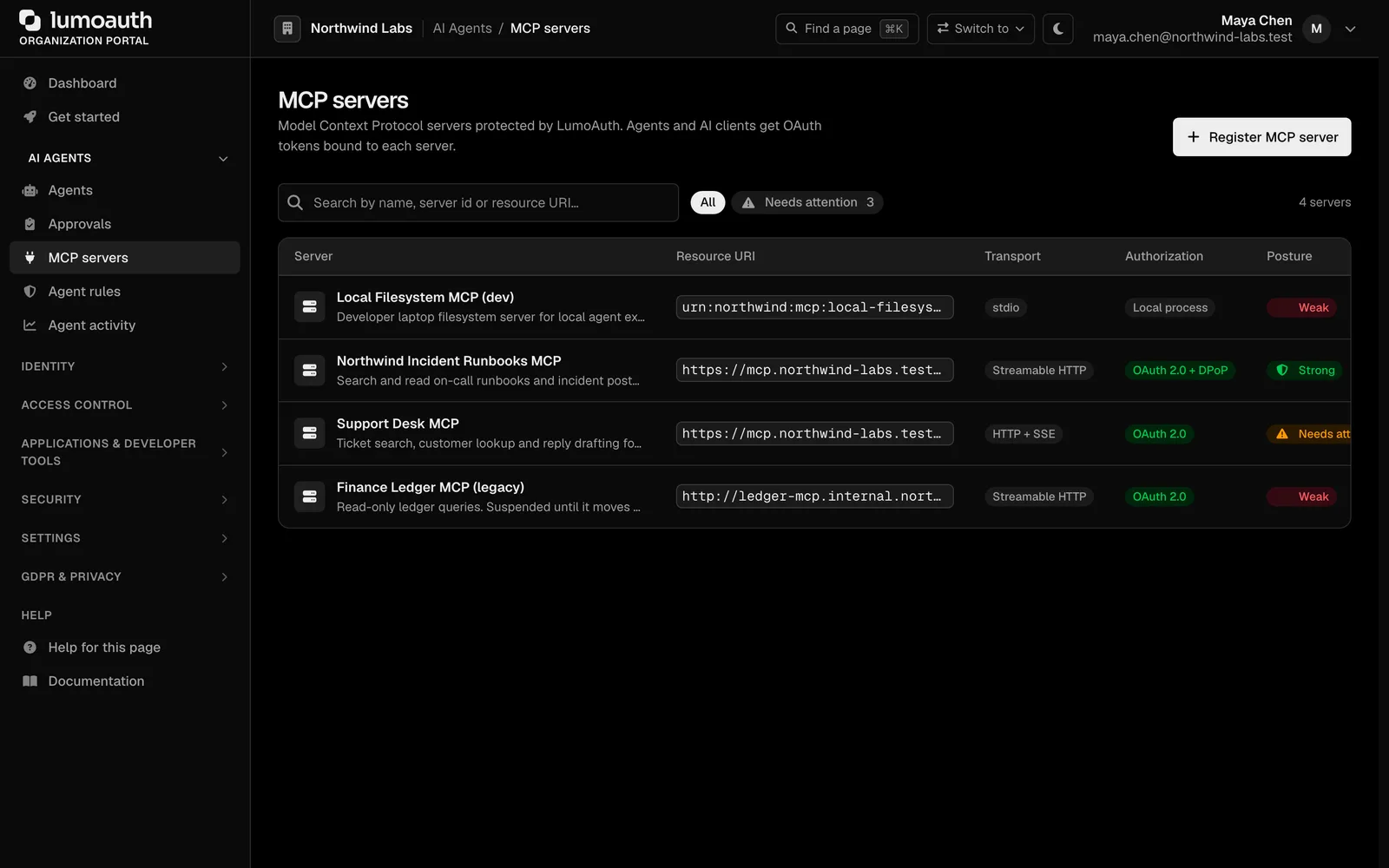
"Allow all tools" is the default, and it is the problem
Most MCP servers either run with no authentication or accept any bearer token that reaches them. Once an agent is connected it can call every tool the server has, and there is no record of which agent called what.
Writing OAuth discovery, dynamic client registration and token validation into every tool server is a lot of security code to get right, repeatedly.
How LumoAuth solves it
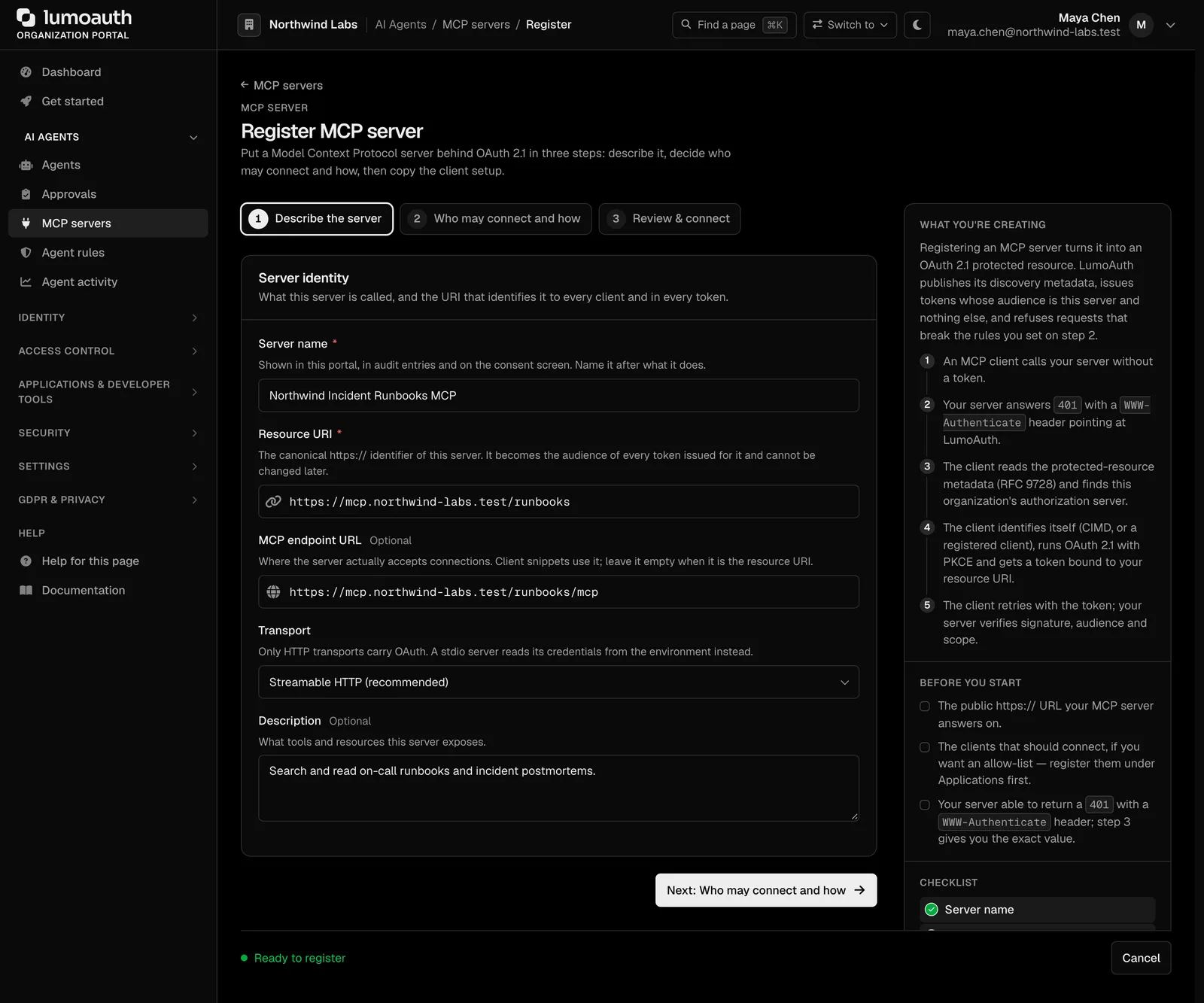
Register the server
Name the MCP server, give it a resource identifier, list its tools as scopes, and choose which agents and users may connect. Docs
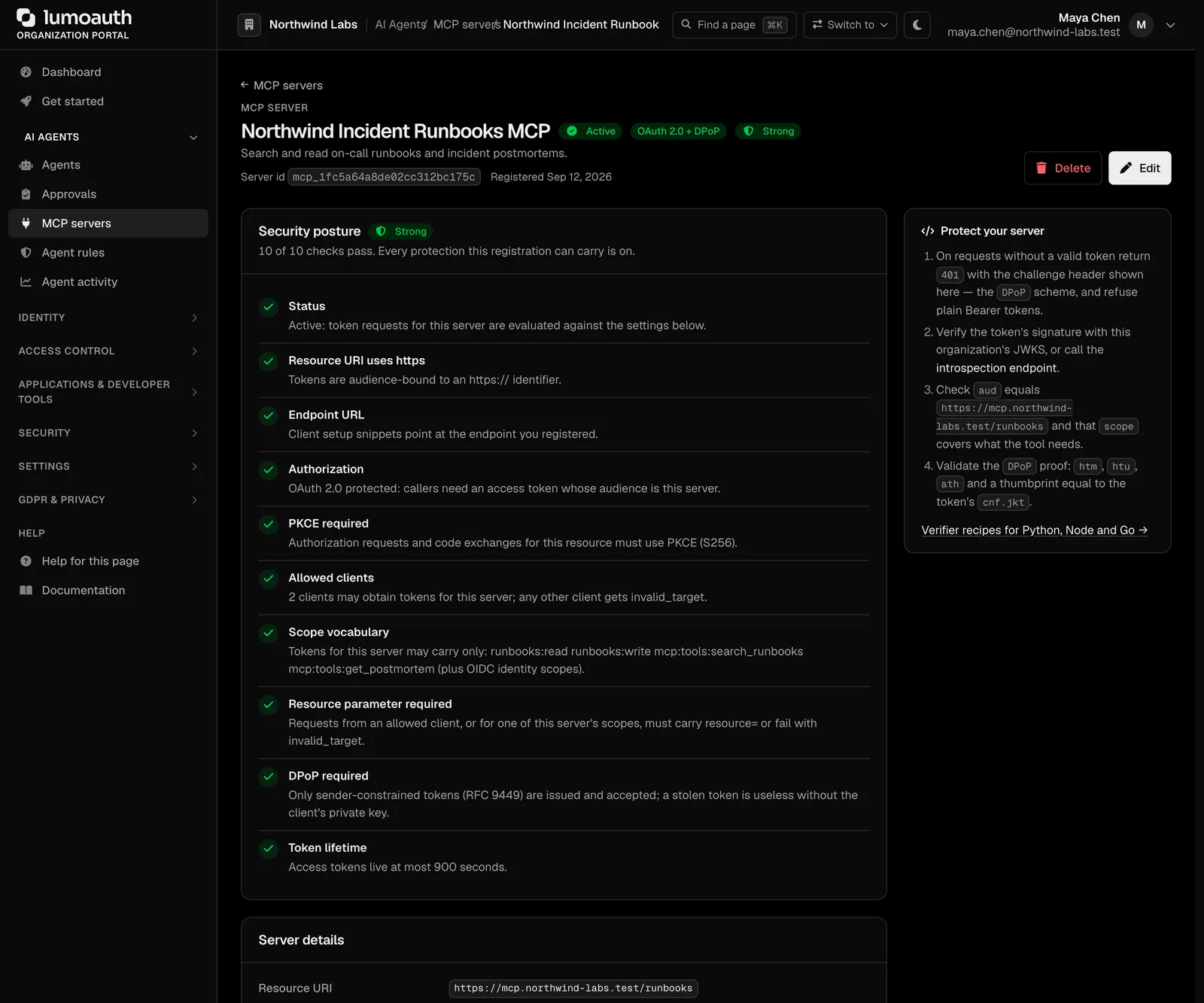
Discovery works out of the box
LumoAuth publishes the protected-resource metadata and the authorization-server metadata the MCP specification requires. An agent reads one well-known address and knows where to go. Docs
One token, one tool
A token can allow tool:search and nothing else. Scopes map to tools, so a compromised agent cannot reach what it was never granted. Tokens are pinned to the server's resource identifier. Docs
Clients identify themselves with a URL
An MCP client can use an HTTPS URL as its client ID. LumoAuth fetches the metadata document at that URL, validates it and shows the client's real name on the consent screen. It is on by default, admins can switch it off, and a check tool explains any rejection. Clients that prefer the API still have dynamic registration. Docs
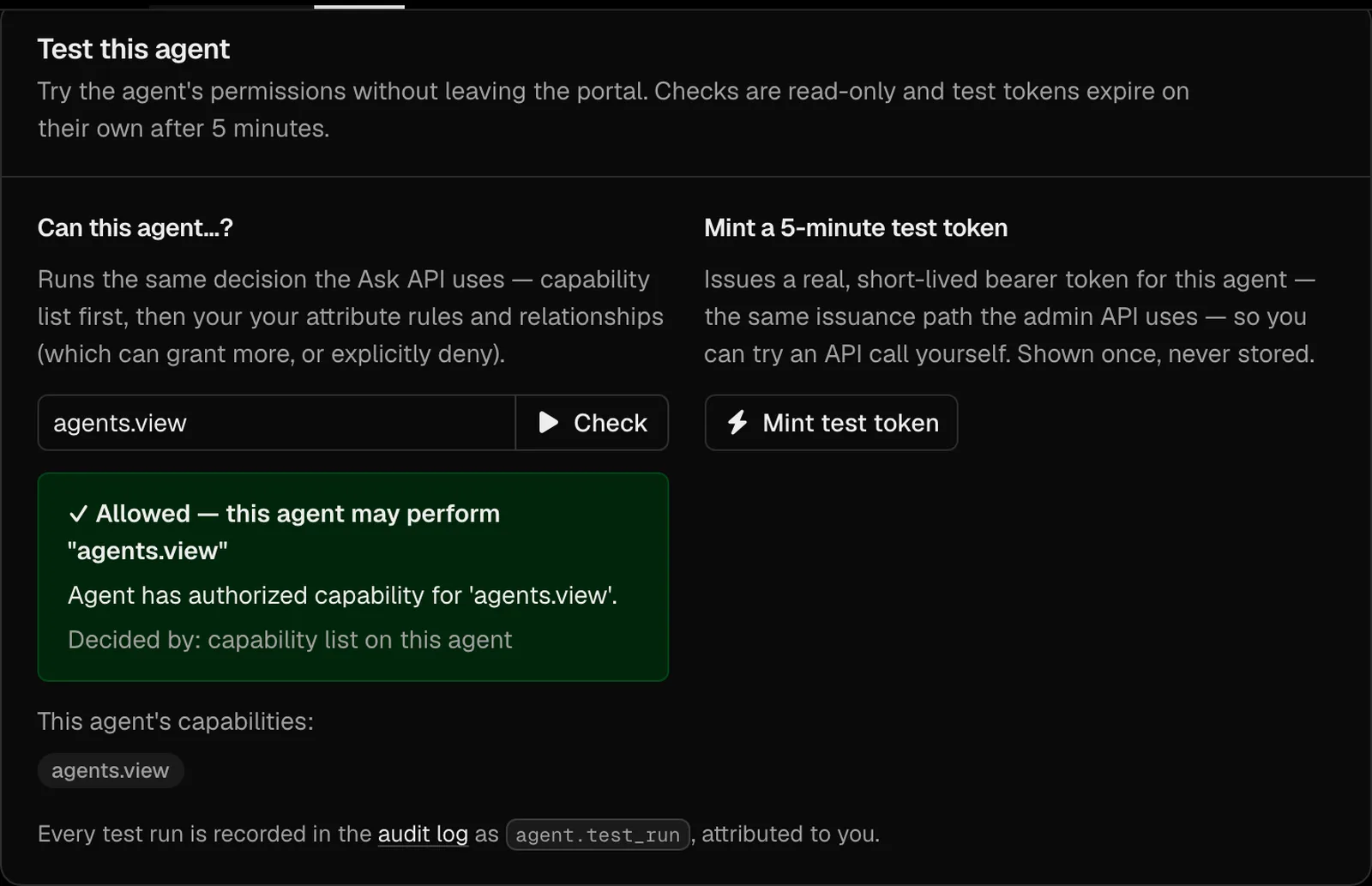
Test with a real token
Mint a token for any agent and scope from the portal and try the call before you ship. Docs
Verify inside your server
The docs show how to validate the token in your MCP server, which headers to return on a 401, and how to react to a revocation signal. Docs
Setting it up
Register the MCP server
AI Agents → MCP servers → Register. Add its tools as scopes.
Decide who may connect
Pick the agents or the user roles that may obtain tokens, and whether a human must approve sensitive tools.
Add token validation to the server
Verify the signature against the published keys, check the audience and the scope. Sample code is in the guide.
Connect an agent
The agent discovers the server, asks LumoAuth for a token with the scopes it needs, and calls the tool.
Standards involved
Plain names on the left, the specification on the right. The full map is in the standards reference.
- MCP authorization
- Model Context Protocol authorization specification
- Protected resource metadata
- RFC 9728
- Dynamic client registration
- RFC 7591, RFC 7592
- Client ID metadata documents
- IETF draft
- Resource indicators
- RFC 8707
- PKCE
- RFC 7636
Which plan you need
MCP authorization is on every plan. The free Developer plan includes one MCP server, Pro includes five, Business has no limit.
Documentation
Questions
Does this work with Claude, ChatGPT and other MCP clients?
Do MCP clients have to be registered before they can connect?
Can a human approve a tool call?
What about MCP servers I do not control?
How fast is revocation?
Ship passwordless sign-in this week. Put guardrails on your agents today.
The Developer plan is free for 10,000 monthly users and ten agents, with no card. Everything speaks open standards, so moving in or out is a config change.