Passwordless sign-in
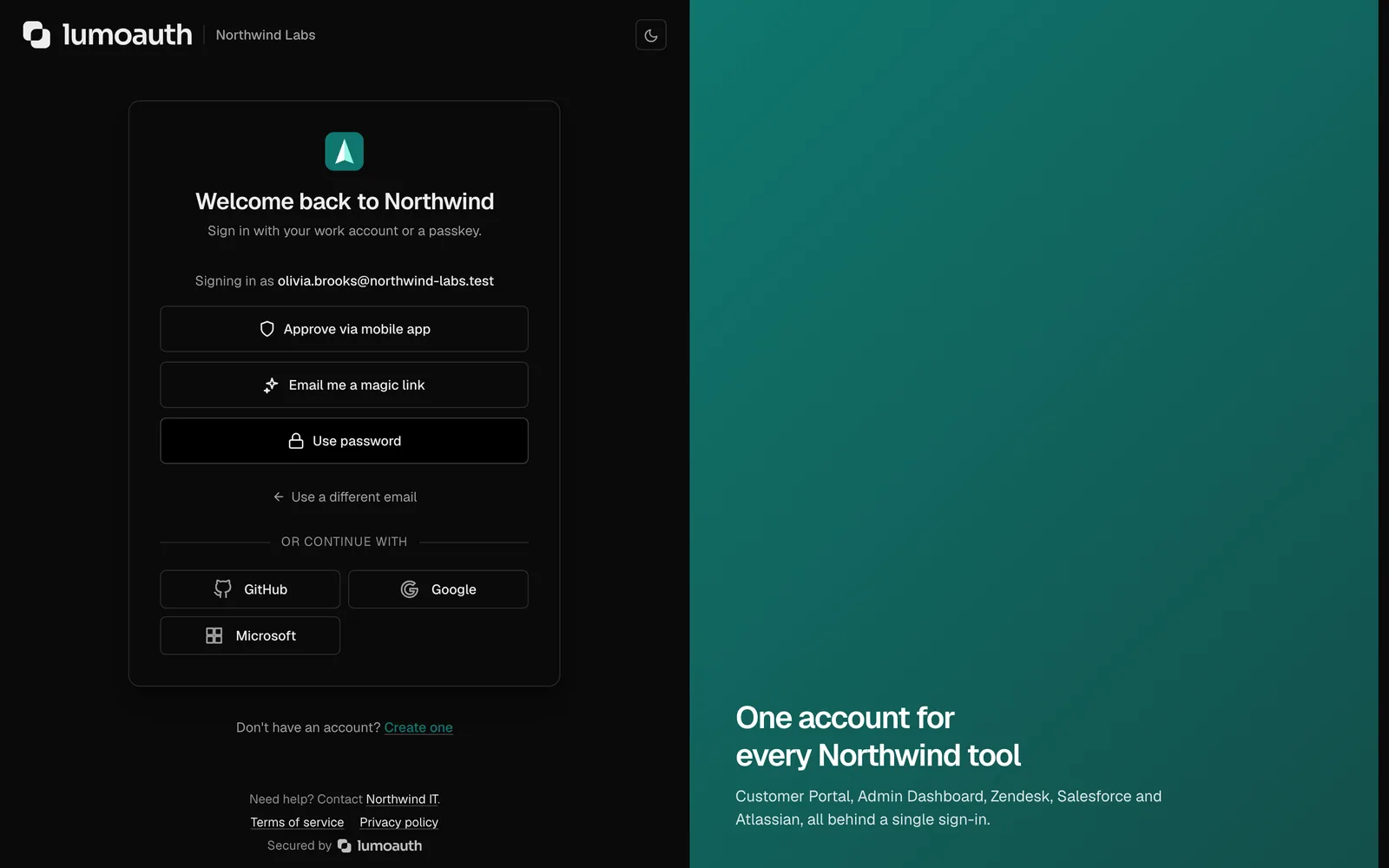
A password is something a user has to remember and an attacker only has to guess or steal. LumoAuth gives your product every passwordless option in one hosted login page: passkeys, magic links, one-time codes, push approval and social sign-in. Turn them on in the portal; your application code does not change.
- Product teams who want fewer support tickets about passwords
- Security teams who need phishing-resistant sign-in
- Developers who do not want to build credential handling themselves
Passwords are the weakest part of most products
Most account takeovers start with a password that was reused somewhere else, guessed, or typed into a convincing fake site. Resetting them is the single most common support request, and the reset email is itself an attack surface.
Adding passkeys or magic links by hand means handling browser APIs, key storage, device sync, fallbacks and recovery. Most teams get part of it right and ship the rest later.
How LumoAuth solves it
Passkeys
Users sign in with Face ID, Touch ID, Windows Hello or a security key. The browser proves the user is on the real site, so phishing pages get nothing. Users can register several passkeys and manage them in their account. Docs
Magic links and one-time codes
Send a single-use link that expires in 15 minutes, or a six-digit code by email or text message. Codes expire after five minutes and allow five attempts. Docs
Push approval from the LumoAuth app
A sign-in request appears on the user's phone with the location and device. They approve it with their fingerprint. The approval is signed with a key that never leaves the phone. Docs

Email-first login flow
The page asks for the email address first, then shows only the methods that user has. Someone with a passkey never sees a password box. Docs

Recovery that is not a back door
Recovery codes, a second passkey or a verified email, with rate limits and audit entries on every attempt. Account recovery is designed with the same care as sign-in. Docs
Keep passwords for those who want them
If you keep email and password as an option, passwords are checked against known breaches, rate limited and locked after repeated failures. Docs
Setting it up
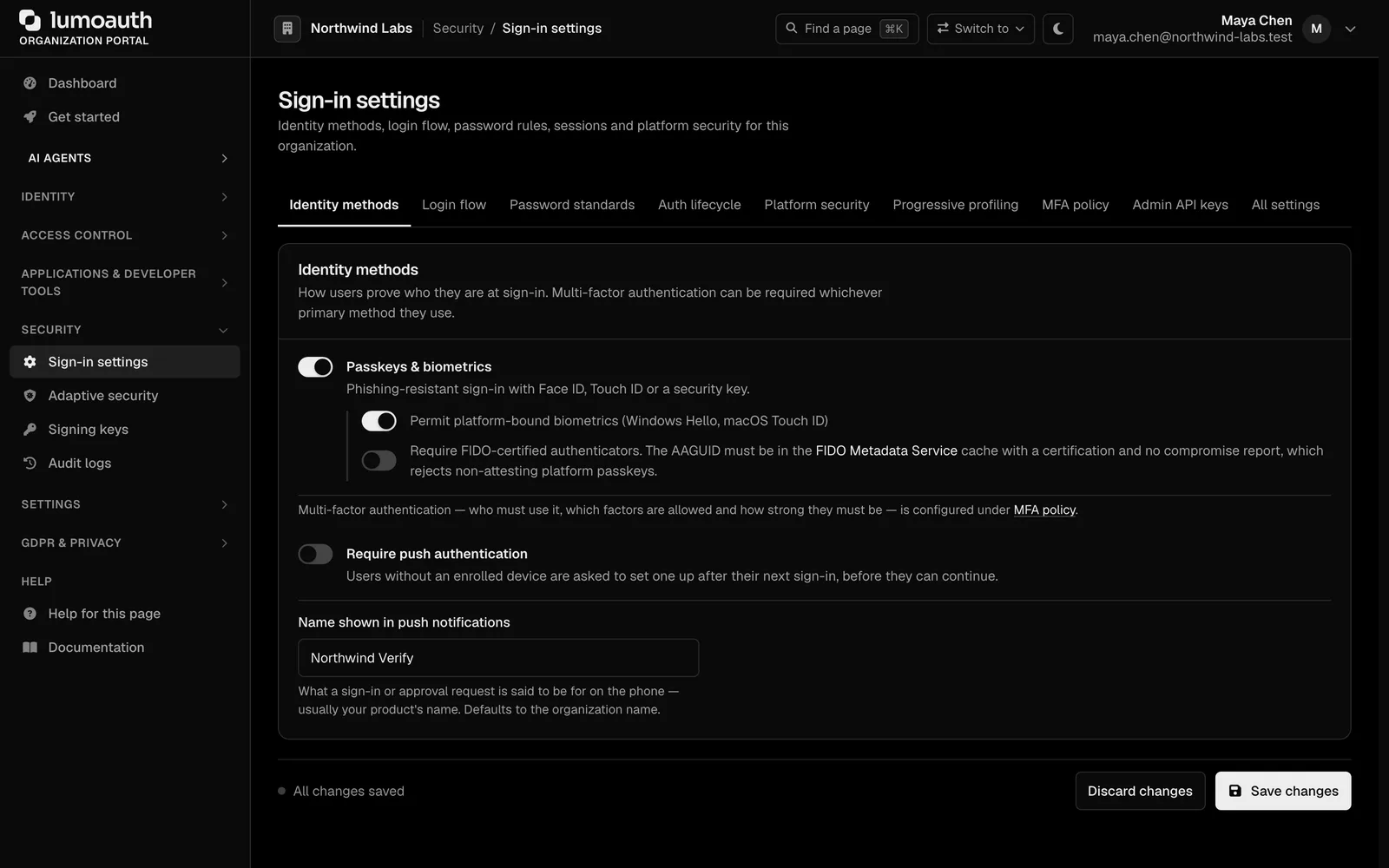
Turn on the methods you want
In Authentication settings, enable passkeys, magic links, push or codes. Each one is a switch.
Choose the login flow
Pick email-first or a method choice screen, and decide whether passkeys are offered at sign-up.
Point your app at LumoAuth
Use a quickstart for Next.js, React, Express, FastAPI, Go, Java or .NET. Sign-in is a standard OpenID Connect redirect.
Invite existing users to add a passkey
Users add one from their account page. You can nudge them after sign-in with a prompt.
Standards involved
Plain names on the left, the specification on the right. The full map is in the standards reference.
- Passkeys
- W3C WebAuthn Level 3, FIDO2 CTAP
- Authenticator metadata
- FIDO Metadata Service
- Sign-in protocol
- OpenID Connect, OAuth 2.1 with PKCE
- How the user signed in
- RFC 8176 amr claim
Which plan you need
Passkeys, magic links, push approval from the LumoAuth app, email and text-message codes and social sign-in are on every plan, including the free Developer plan.
Documentation
Questions
Do passkeys work across devices?
What happens when someone loses their phone?
Can I use my own login UI?
Can I require passkeys for some users only?
Ship passwordless sign-in this week. Put guardrails on your agents today.
The Developer plan is free for 10,000 monthly users and ten agents, with no card. Everything speaks open standards, so moving in or out is a config change.